
It's 9:47pm on a Tuesday. A new mum has finally got the baby to sleep and picks up her phone to book a hair appointment for the weekend. She finds your salon on Google, taps through to your website—and hits a wall. "Call us to book." Your phone line closed at 5:30pm. She taps back, finds a competitor with a "Book Now" button, selects Saturday 10am, pays a £15 deposit, and it's done in 40 seconds.
You just lost a client. Not because your work isn't brilliant. Not because your prices aren't competitive. Because your business wasn't open when your customer was ready to buy.
This scenario plays out thousands of times daily across the UK. Whether you run a beauty salon, cleaning company, physiotherapy practice, accountancy firm, or any other appointment-based business—an online booking system isn't a luxury in 2026. It's the difference between a full diary and empty time slots.
This guide covers everything you need to know about choosing, setting up, and getting the most from an online booking and payment system for your UK small business.
What's in This Guide
- Why UK small businesses need online booking in 2026
- What to look for in a booking system
- Types of booking system: which is right for you?
- How booking systems with deposits work
- Online booking by industry
- How to reduce no-shows
- Step-by-step setup guide
- How much does it cost in the UK?
- Common mistakes to avoid
- The loyalty advantage
- Frequently asked questions
Why UK Small Businesses Need Online Booking in 2026
Consumer behaviour has shifted permanently. The days of phoning businesses during working hours to make appointments are fading fast. Here's what the data shows:
- 81% of clients want to manage bookings outside regular business hours (Zenoti Consumer Survey, 2025)
- Around 46% of all bookings happen when businesses are closed—evenings, weekends, and bank holidays (Boulevard/Salon Today, 2024)
- 69% of customers have skipped booking an appointment altogether because the process was too difficult or they couldn't reach someone (Zenoti, 2025)
- 44% of clients prefer to book service appointments online rather than by phone (Booksy Industry Statistics, 2024)
Think about your own behaviour. When was the last time you phoned a restaurant to make a reservation instead of booking online? Or called a dentist during their opening hours instead of using their website? Your customers feel exactly the same way about your business.
The Real Cost of Not Having Online Booking
Every missed call is a potential missed booking. And in the UK beauty industry alone, the numbers are staggering: salons collectively lose an estimated £1.6 billion in revenue annually to no-shows and missed appointments, with each missed appointment costing an average of £39 (Scratch Magazine, citing Treatwell data).
A Fresha survey of 200+ UK beauty and wellness businesses (December 2025) found that 56% of business owners experience significant income loss from cancellations, with 29% losing 5-10% of their monthly revenue. Over half (51%) reported struggling to cover business expenses as a result.
And it's not just salons. If your phone goes unanswered even a few times a week—because you're with a client, on your lunch break, or it's after hours—those callers are booking with someone else. An online booking system for your small business captures those bookings 24 hours a day, 7 days a week, without you lifting a finger.
What to Look for in an Online Booking System
Not all booking systems are equal. The right system for a UK small business needs to do more than just accept appointments. Here are the essential features:
1. Online Payment and Deposit Collection
This is the feature that separates a basic booking form from a proper online booking and payment system. The ability to collect payments or deposits at the point of booking is critical for two reasons:
- It dramatically reduces no-shows. When clients have money on the line, they turn up. Timely's research shows that businesses taking deposits reduce their no-show rate by 55% (Timely). Phorest's data shows no-shows are 65% lower when clients pay a booking deposit (Phorest). Salons requiring pre-payment have seen no-shows halved (Scratch Magazine, citing Treatwell).
- It protects your income. UK salons alone lose an estimated £1.6 billion annually to no-shows (Scratch Magazine, citing Treatwell). Every appointment-based business faces the same challenge.
Your booking system should support:
- Full payment at booking — ideal for fixed-price services
- Percentage-based deposits (20-50%) — best for variable or high-value services
- Flat-rate deposits (£10-£25) — simplest for clients to understand
- Secure card processing — Stripe or similar UK-compliant payment provider
- Automatic refund handling — within your cancellation policy terms
2. Real-Time Availability
Clients should see your actual, live availability—not a contact form that requires you to manually respond. Double bookings destroy client trust and create operational chaos. A proper system syncs with your calendar in real time, so clients can only book slots that are genuinely available.
3. Automated Confirmations and Reminders
The moment a client books, they should receive an instant confirmation email with all the details: date, time, service, location, and your cancellation policy. Then, automated reminders should follow:
- 24 hours before: SMS or email reminder with option to confirm, reschedule, or cancel
- 2 hours before: Final short reminder
Why does this matter? Phorest found that 62% of no-shows happen simply because clients forget about their appointment (Phorest). Automated reminders directly address this. Booksy's data confirms that 53.6% of clients prefer to receive appointment reminders via SMS (Booksy)—so text reminders are what most people actually want.
4. Service Menu with Durations and Pricing
Clients should be able to browse your services, see exactly what's available, how long it takes, and what it costs—then book immediately. Transparency builds trust and reduces back-and-forth enquiries.
5. Mobile-Friendly Booking Experience
Your booking system must work flawlessly on phones. No pinching to zoom, no tiny buttons, no forms that require a desktop to complete. Zenoti's 2025 survey found that 71% of clients abandon bookings if the process is difficult or slow (Zenoti). If the booking experience is clunky on mobile, you'll lose potential customers before they finish.
6. Staff or Resource Selection
If your business has multiple team members—stylists, therapists, cleaners, consultants—clients should be able to choose who they want (or let the system assign the next available person). This is particularly important for businesses where clients build a relationship with a specific team member.
7. Calendar Sync
Your booking system should integrate with Google Calendar, Outlook, or Apple Calendar so your team always knows what's coming next. Manual diary management leads to missed appointments and scheduling errors.
Types of Online Booking System: Which Is Right for Your Business?
There are three main approaches to online booking for UK small businesses. Each has distinct advantages and drawbacks.
Option 1: Website-Integrated Booking System (Recommended)
A booking system built directly into your website. Clients never leave your site to book—they browse your services, check availability, and pay without being redirected to a third-party platform.
Advantages:
- Seamless experience—clients stay on your website throughout
- Full control over branding, design, and messaging
- You own all client data and booking history
- No commission fees on bookings
- Builds your brand, not someone else's platform
- Better for SEO—more time spent on your site, lower bounce rates
Best for: Any small business serious about growing their online presence. Salons, clinics, consultancies, cleaning companies, tradespeople, and hospitality businesses.
Option 2: Third-Party Booking Platforms
Platforms like Fresha, Treatwell, Booksy, Calendly, or Acuity Scheduling provide booking functionality hosted on their platform. Some are industry-specific (Fresha for salons), others are general-purpose (Calendly for professional services).
Advantages:
- Quick to set up
- Built-in marketplace exposure (for platforms like Treatwell)
- Often free or low-cost entry tier
Drawbacks:
- Commission fees up to 35% on new client bookings through marketplace platforms (Treatwell Pricing)
- Clients remember the platform, not your business name
- Limited or no control over branding and design
- The platform owns the client relationship and data
- You're listed alongside every competitor, often competing on price
- Redirecting clients away from your website increases bounce rates
Best for: Businesses with no website, or as a supplementary booking channel alongside your own website.
Option 3: Social Media Booking (Instagram, Facebook)
Some businesses rely on Instagram DMs or Facebook's built-in booking buttons.
Advantages:
- No additional cost
- Clients may already be on the platform
Drawbacks:
- No deposit collection capability
- No automated reminders
- No real-time availability—manual back-and-forth required
- DM conversations easily lost or overlooked
- Algorithm changes can reduce your visibility overnight
- You don't own the platform or the data
Best for: A temporary solution while setting up a proper booking system. Not a long-term strategy. We've explored why relying solely on social media is risky in our guide on why you need both a website and social media.
Comparison: Booking System Options at a Glance
| Feature | Website-Integrated | Third-Party Platform | Social Media |
|---|---|---|---|
| Deposit collection | Yes | Varies | No |
| Commission fees | None | 0-35% | None |
| Brand control | Full | Limited | Platform-dependent |
| Client data ownership | You own it | Platform owns it | Platform owns it |
| Automated reminders | Yes | Usually | No |
| Real-time availability | Yes | Yes | No |
| Mobile-optimised | Yes | Yes | Varies |
| SEO benefit | High | None (off-site) | None |
| 24/7 booking | Yes | Yes | DMs only |
Online Booking Systems with Deposits: How They Work
Deposit collection is the single most requested feature when UK small businesses look for an online booking system that takes deposits. Here's exactly how it works and how to set it up effectively.
How Deposit Collection Works
- Client selects a service from your website's booking page
- Client chooses a date and time from your real-time availability calendar
- Client selects a team member (if applicable)
- Deposit amount is displayed clearly before payment—either a percentage of the service cost or a flat rate
- Client enters card details through a secure payment form (Stripe, for example)
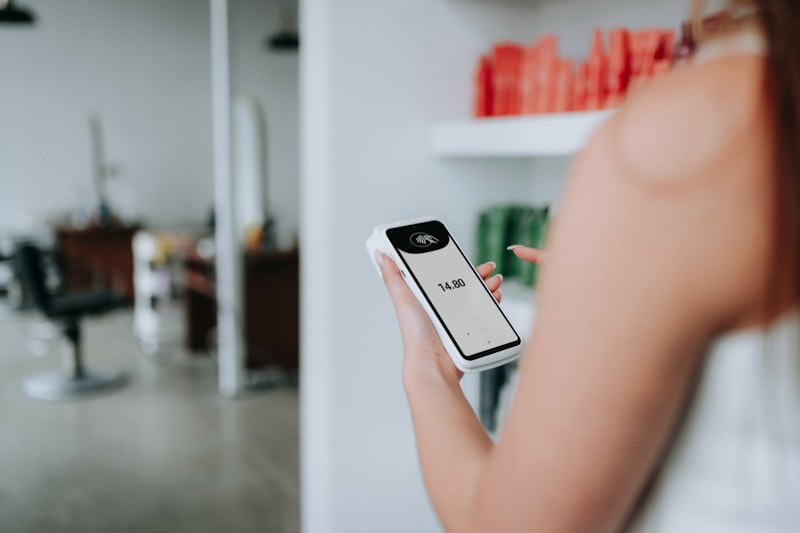
- Payment is processed instantly and both you and the client receive confirmation
- Remaining balance is collected at the appointment (or in advance, depending on your preference)
The entire process takes under 60 seconds for the client. No phone calls, no waiting for a callback, no back-and-forth messages.
Choosing Your Deposit Structure
The right deposit structure depends on your business type and average service value:
| Business Type | Recommended Deposit | Example |
|---|---|---|
| Hair / beauty salon | Flat £10-£25 or 20-50% | £20 deposit on £80 colour service |
| Cleaning company | 25-50% of job value | £30 deposit on £120 deep clean |
| Physiotherapist / osteopath | Full payment or 50% | £55 full payment for initial assessment |
| Consultant / advisor | Full payment at booking | £150 consultation fee collected upfront |
| Personal trainer | Full session payment | £45 collected at booking |
| Electrician / tradesperson | Flat call-out deposit | £25 deposit against call-out fee |
| Photographer | 25-50% of package | £150 deposit on £500 wedding package |
Writing a Fair Cancellation Policy
Your cancellation policy must be clear, visible, and fair. Clients should see it before they pay—not after. The Fresha survey found that 62% of clients who cancel give less than 24 hours' notice—so your policy needs to account for this. A good cancellation policy includes:
- Cancellation window: 24-48 hours' notice is industry standard for most small businesses
- What happens to the deposit: Full refund if cancelled within the window, deposit forfeited if cancelled late or no-show
- Rescheduling terms: Allow free rescheduling with 24+ hours' notice (this reduces outright cancellations)
- Late arrival policy: What happens if a client arrives 15+ minutes late?
- Exceptional circumstances: A brief note on how you handle emergencies shows you're reasonable
Display this policy on your booking page, your services page, and include a summary in your confirmation emails. Transparency upfront prevents disputes later.
Online Booking by Industry: What Different Businesses Need
While the core principles are the same, different industries have specific booking requirements. Here's what matters most for each:

Beauty Salons, Hair Salons, and Barbershops
The UK's 61,000+ hair and beauty businesses (PolicyBee, citing NHBF) operate in a £5.8 billion industry (PolicyBee, citing IBISWorld)—and the sector has led the way in online booking adoption. Key requirements:
- Stylist/therapist selection — clients book with a specific person
- Treatment menu with durations — different services need different time slots
- Deposit collection — essential for high-value colour services and extensions
- Portfolio integration — clients want to see your work before booking
- Multi-service booking — clients often want cut + colour, or nails + brows in one visit
We've covered the beauty industry in depth in our Beauty Salon Website Guide 2026, including how online booking and deposits can reduce no-shows by over 55%.
Cleaning Companies
The cleaning industry has unique booking needs:
- Service type selection — regular clean, deep clean, end-of-tenancy, one-off
- Property size or room count — to calculate pricing and time required
- Address collection — the booking system needs to capture where the service happens
- Recurring booking options — weekly, fortnightly, or monthly schedules
- Deposit or upfront payment — protects against last-minute cancellations, particularly for one-off deep cleans
Healthcare and Wellness Practitioners
Physiotherapists, osteopaths, chiropractors, counsellors, and similar practitioners need:
- Initial vs. follow-up appointment types — different durations and prices
- Practitioner selection — clients often see the same practitioner each visit
- New client intake forms — collect medical history or relevant information before the first appointment
- Privacy compliance — booking systems handling health-related data must meet UK GDPR requirements
- Full payment at booking — common practice for clinical appointments
Professional Services and Consultants
Accountants, financial advisors, mortgage brokers, and business consultants benefit from:
- Meeting type options — initial consultation, annual review, specific service
- Video call integration — many consultations happen remotely
- Pre-booking questionnaires — gather information before the meeting so time isn't wasted
- Full payment collection — particularly for one-off consultations
- Buffer time between appointments — to allow for preparation and notes
Tradespeople
Electricians, plumbers, landscapers, and other tradespeople can use booking systems for:
- Quote request bookings — schedule site visits for estimates
- Call-out deposits — a flat fee that secures the appointment and covers travel time
- Job type categorisation — emergency vs. planned, small repair vs. full installation
- Location-based availability — only show time slots based on travel zones
For a complete guide on websites for the electrical trade, see our Complete Guide to Electrician Websites in 2026.
Hospitality
Pubs, cafes, and restaurants have distinct needs:
- Table reservation management — covers and party size
- Special event booking — private dining, functions, live music nights
- Deposit collection for large parties — protects against group no-shows
- Pre-order options — for set menus or special dietary requirements
How to Reduce No-Shows: The Complete Strategy
No-shows are the silent profit killer for appointment-based businesses. The average no-show rate across the beauty industry sits at 10-20% (Shortcuts, citing industry data). Here's a comprehensive strategy to get that number below 5%.
Step 1: Implement Deposits
Deposit collection is the single most effective measure against no-shows. The evidence is consistent across multiple sources:
- Timely's research: deposits reduce no-shows by 55% (Timely)
- Phorest's data: no-shows 65% lower when clients pay a deposit (Phorest)
- Treatwell's findings: pre-payment reduces no-shows by 50% (Scratch Magazine)
Start here—it makes the biggest single difference.
Step 2: Set Up Automated Reminders
Since 62% of no-shows happen because clients simply forget (Phorest), automated reminders directly tackle the most common cause. The optimal schedule:
- Immediately: Confirmation email with all appointment details, your address, parking information, and preparation instructions
- 24 hours before: SMS reminder — short, clear, with option to reschedule or cancel
- 2 hours before: Final SMS — just the essentials (time, location)
Step 3: Make Rescheduling Easy
One of the biggest reasons clients no-show is that they need to change the appointment but find it easier to simply not turn up than to call and rearrange. An online booking system solves this—clients can reschedule with a few taps on their phone, 24/7. Phorest's data supports this approach: no-show rates for appointments booked online are 49% lower than those booked by phone or in person (Phorest).
Step 4: Enforce Your Policy Consistently
A cancellation policy only works if you stick to it. If clients learn there are no consequences for no-showing, the behaviour continues. Be polite, be fair—but be consistent.
Step 5: Track and Measure
Before implementing a booking system, note your current no-show rate. Then measure it monthly after launch. Most businesses see dramatic improvement within the first 4-6 weeks. Use this data to refine your deposit amounts and reminder timing.
Setting Up Your Online Booking System: A Step-by-Step Guide
Ready to get started? Here's exactly how to implement an online booking system for your small business.
Step 1: Define Your Services
Before setting up any system, document every service you offer with:
- Service name
- Duration (including any buffer time between appointments)
- Price (or price range)
- Deposit amount required
- Any preparation instructions for clients
Step 2: Set Your Availability
Define your working hours, including:
- Regular opening hours for each day of the week
- Lunch breaks or blocked time
- Individual staff schedules (if you have a team)
- Holiday closures and planned time off
- Lead time — how far in advance can clients book? How much notice do you need?
Step 3: Write Your Cancellation Policy
Keep it clear, fair, and visible. Clients should understand exactly what happens if they cancel or don't show up. Display it prominently on your booking page.
Step 4: Choose Your System
Based on your business type and requirements, choose between a website-integrated system, a third-party platform, or a combination. For most UK small businesses, we recommend a website-integrated system as your primary booking method.
Step 5: Configure Payment Processing
Set up your payment provider (Stripe is the most popular choice for UK businesses). Configure deposit amounts for each service, and ensure your payment flow is PCI-compliant and secure.
Step 6: Test Everything
Before going live, run through the entire booking process yourself:
- Book an appointment on your phone — is it easy and fast?
- Check the confirmation email — does it include all relevant details?
- Verify the calendar sync — does the booking appear correctly?
- Test the deposit payment — does money arrive in your account?
- Check reminder timing — do SMS and email reminders fire correctly?
- Test cancellation and rescheduling — does the process work smoothly?
Step 7: Launch and Promote
Once your system is live:
- Add a prominent "Book Now" button to every page of your website
- Update your Google Business Profile with your booking link
- Add the booking link to your Instagram bio and social media profiles
- Tell existing clients about online booking via email, text, or in person
- Add a "Book Online" button to your email signature
How Much Does an Online Booking System Cost in the UK?
This is where it's important to understand what you're actually comparing. Most "booking systems" are just that—a booking tool. They don't give you a website, they don't help clients find you on Google, and many take a cut of every appointment.
A website with an integrated booking system is a completely different proposition: a professional, custom-designed website that also happens to take bookings, collect deposits, and send reminders—all under your brand, on your domain, with no commission.
| Option | What You Get | Setup Cost | Monthly Cost | Commission |
|---|---|---|---|---|
| Vezra | Custom website + booking + deposits | From £325 | From £17.98 | None |
| Fresha | Booking tool only | Free | Free (basic) | 20% on marketplace |
| Treatwell | Booking tool only | Free | Varies | Up to 35% on new clients |
| Calendly | Scheduling tool only | Free | £8-£12 | None |
| Acuity Scheduling | Scheduling tool only | Free | £14-£40 | None |
| Square Appointments | Booking tool + basic page | Free | Free-£55 | Processing fees |
The "free" platforms aren't free once you factor in what they actually cost. Treatwell charges 35% commission on a new client's first booking (Treatwell Pricing). On a £60 appointment, that's £21 gone immediately. Ten new client bookings a week through the platform costs you over £10,000 a year in commission—and you still don't have a website.
With Vezra, you get a fully designed, mobile-optimised website with 3 custom designs to choose from, integrated booking with deposit collection, automated reminders, and your own domain—all delivered in 10 working days. No commission on bookings, ever.
For a broader look at website costs, see our comprehensive guide: How Much Does a Website Cost in the UK?
Common Mistakes to Avoid
We've helped hundreds of UK small businesses set up booking systems. Here are the mistakes we see most often:
Mistake 1: Making Booking Too Difficult
If a client has to create an account, verify their email, fill in 10 form fields, and navigate three pages to book—they won't. Zenoti's research confirms this: 69% of customers have skipped booking entirely because the process was too difficult (Zenoti, 2025). The ideal booking journey is: select service → choose time → pay deposit → done. Three steps, under 60 seconds.
Mistake 2: No Deposit Collection
A booking without a deposit is a maybe, not a commitment. Without financial skin in the game, clients cancel without a second thought. Implement deposits from day one.
Mistake 3: Hiding the Booking Button
Your "Book Now" button should be visible on every page of your website without scrolling. Don't bury it in a menu or at the bottom of a long page. It should be one of the first things visitors see—especially on mobile.
Mistake 4: Not Displaying Prices
If clients can't see what a service costs before booking, most will abandon the process. Transparency builds trust. Use "from" pricing if costs vary.
Mistake 5: Ignoring Mobile Users
A large proportion of bookings happen on phones. If your booking system requires pinching, zooming, or horizontal scrolling on mobile, you're losing potential bookings. Test your booking flow on a phone before launching.
Mistake 6: Relying Solely on a Third-Party Platform
Using Treatwell, Fresha, or Booksy as your only booking channel means you don't own the client relationship, you're paying commission on every booking, and you're one policy change away from losing access. Use platforms as a supplement, not a replacement for your own booking system.
Mistake 7: No Cancellation Policy
Without a clearly stated cancellation policy displayed before the client pays, you'll face disputes and chargebacks. Write it clearly, display it prominently, and enforce it consistently.
The Loyalty Advantage: Why Online Booking Retains More Clients
Online booking doesn't just save you time—it directly improves client retention. Boulevard's research, published in Salon Today, found that first-time clients who book online return for a second visit approximately 78% of the time, compared to just 39% for walk-ins (Boulevard/Salon Today). That's roughly double the retention rate.
Zenoti's 2025 survey backs this up: 73% of clients say they'd be more loyal to businesses that make booking and communication simple (Zenoti). Making it easy to book isn't just a convenience—it's a competitive advantage that keeps clients coming back.
Why Your Booking System Should Live on Your Website
We've touched on this throughout the guide, but it's worth emphasising: the most effective setup for UK small businesses is a booking system integrated directly into your own website.
Here's why:
- You keep 100% of your revenue. No commission fees eating into every booking.
- You own the client data. Build your own email list, send your own marketing, track your own metrics.
- It strengthens your brand. Clients book on your website, reinforcing your business name—not a platform's.
- It improves your SEO. Longer time on site and lower bounce rates signal to Google that your website is valuable.
- It's a better client experience. Seamless, branded, no redirects to third-party sites.
- It reduces dependency. Platform terms change, fees increase, features get removed. Your own website is the only digital asset you fully control.
Still unsure whether your business needs a website? We've addressed this question directly: Do small businesses need a website in 2025?
Getting Started with Vezra
At Vezra, we build professional websites for UK small businesses with integrated booking systems—including deposit collection, automated reminders, and real-time availability. No commission fees, no platform dependency.
Whether you're a beauty salon, hair salon, cleaning company, physiotherapy practice, electrical contractor, or any other appointment-based business—we can get you set up with a website and booking system that works for you and your clients.
- From £250 for a professional, custom-designed website
- Hosting from £9.99/month — including booking system, professional email, and ongoing support
- Delivered in 10 working days with 3 custom designs to choose from
- No commission on bookings — ever
Get started with your free quote or view our full pricing.
Ready to stop losing bookings?
Get started with Vezra — professional website design with integrated booking from £250, delivered in 10 working days.
Or view pricing | see how it works | browse examples
More from our blog:
- Beauty Salon Website Guide 2026 — bookings, deposits, and growth for salons
- Electrician Websites Complete Guide 2026 — getting online as a tradesperson
- How Much Does a Website Cost? — a full pricing breakdown
- Website vs Social Media: Why You Need Both
Frequently Asked Questions
What is the best online booking system for small businesses in the UK?
The best booking system depends on your business type, but for most UK small businesses, a website-integrated booking system offers the best combination of features, control, and value. It keeps clients on your site, avoids commission fees, supports deposit collection, and gives you full ownership of client data. Providers like Vezra build booking systems directly into your website from £250.
How does an online booking system with deposits work?
When a client books through your website, they select a service, choose a time slot, and pay a deposit (either a flat rate like £15-£25 or a percentage of the service cost) via secure card payment. The deposit is processed instantly, and both you and the client receive confirmation. The remaining balance is collected at the appointment. This process typically takes under 60 seconds.
How much does an online booking system cost for a small business?
Costs range from free (basic third-party platforms with commission fees up to 35% per new client booking) to £250+ for a professional website with integrated booking and no commission. Monthly costs range from £9.99-£55 depending on the provider. The cheapest upfront option isn't always the cheapest long-term—commission fees on a "free" platform can cost thousands per year.
Can an online booking system reduce no-shows?
Yes, dramatically. Deposit collection alone reduces no-shows by 55-65% according to research from Timely and Phorest. Combined with automated reminders—which address the 62% of no-shows caused by clients simply forgetting—most businesses see no-show rates fall significantly within the first month.
Do I need a website to have an online booking system?
You can use standalone booking platforms without a website, but you'll miss out on SEO benefits, brand building, and full control of the client experience. The most effective approach is a booking system integrated into your own professional website—clients find you on Google, browse your services, and book without leaving your site.
What payment methods should my booking system accept?
At minimum, your booking system should accept Visa, Mastercard, and American Express via a secure payment provider like Stripe. Apple Pay and Google Pay integration improves the mobile booking experience further. Direct debit (via GoCardless or similar) is useful for recurring bookings like regular cleaning services or ongoing treatment plans.
Is it safe to collect payments through my website?
Yes, provided your website uses a reputable payment processor like Stripe, which handles PCI compliance. Your website should also use HTTPS encryption (which is standard in 2026). Client card details are processed by the payment provider, not stored on your website, so your risk exposure is minimal.
How do I encourage existing clients to book online instead of phoning?
Most clients actually prefer online booking once they know it's available—Booksy's research shows 44% of clients already prefer booking online. Mention it at every appointment, include the booking link in email signatures and social media profiles, and consider offering a small incentive for the first online booking (like 10% off). Within a few weeks, the majority of your bookings will shift online, freeing up your phone for other tasks.